

Turning your iPad into a laptop replacement is exciting, but it requires the right tools. While the touchscreen is great for scrolling social media, it is a nightmare for spreadsheets or editing documents. You need a mouse. But here comes the dilemma: do you grab that trusty USB mouse from your drawer, or invest in a sleek new Bluetooth one?
The wired vs wireless mouse debate is about more than just cables—it's about how you use your device. Are you a traveler who hates dongles, or a gamer who fears lag? In this guide, we break down the pros and cons to help you build the ultimate iPad setup.
Key Takeaways:
- For Travel: Wireless wins. No cables to tangle, no dongles to lose.
- For Productivity: Wireless wins. Multi-device support lets you control your iPad and laptop with one mouse.
- For Gaming: Wired wins. Zero latency is crucial for competitive play.
- Top Pick: The CHESONA Wireless Combo connects up to 3 devices at once.
Chesona Products You May Also Like
Explore More


The Wired Mouse
First, let's address a common question: Can I use a mouse with an iPad via a cable? Absolutely. Since iPadOS 13.4, support has been robust. A wired connection is simple—plug and play.
✅ Pros
- No batteries to charge.
- Zero input lag, great for gaming.
- Usually cheaper.
❌ Cons
- Requires a dongle or hub since iPad only has one port.
- Drains iPad battery faster.
- Cable clutter hurts portability.
The biggest issue with wired mice on an iPad is the "Dongle Life." Since iPads typically have a single USB-C port, using a wired mouse means you can't charge your iPad simultaneously unless you carry a bulky hub. For a portable tablet, this feels counterintuitive.
The Wireless Mouse: The Freedom of Bluetooth
When discussing the wired vs wireless mouse for tablets, wireless is generally the king.
It frees up your USB-C port for other tasks, like charging or connecting external SSDs—essential if you plan to use iPad as a second monitor.
✅ Pros
- Clean, cable-free setup.
- Leaves iPad port open for charging.
- Connects to multiple devices (Phone, Tablet, Laptop).
❌ Cons
- Potential for slight interference in crowded areas.
- Needs charging (unless you get a good battery life).
Wired vs Wireless Mouse for iPad: The Showdown
Specs are nice, but how do these mice perform in the real world? Let’s break it down by use case.
🚀 For Productivity & iPadOS
Winner: Wireless
iPadOS relies heavily on multitasking. A modern wireless mouse lets you assign custom buttons for actions like Home or App Switcher. If you use Universal Control between a Mac and iPad, Bluetooth feels seamless.
✈️ For Travel
Winner: Wireless
Airplane trays are small, and cables get in the way fast. A Bluetooth mouse slips easily into your bag and connects instantly without needing a USB hub.
🔋 For Daily Use
Winner: Wireless (Rechargeable)
Wired mice never need charging, but they pull power from your iPad. A rechargeable wireless mouse has its own battery, saving your iPad’s power for screen time.
🎮 For Gaming
Winner: Wired
When every millisecond counts in games like Call of Duty Mobile, wired wins. It removes the small latency that can happen with Bluetooth connections.
Ergonomics: Trackpad or Mouse?
Once you decide on wireless, you might also face another choice: trackpad vs mouse. A mouse is generally better for "click-and-drag" tasks like editing text in Word or moving files. A trackpad is better for gestures.
The good news is that iPadOS supports both beautifully, but a mouse offers better wrist ergonomics for long sessions.
Stop Choosing: Get the Best of Wireless
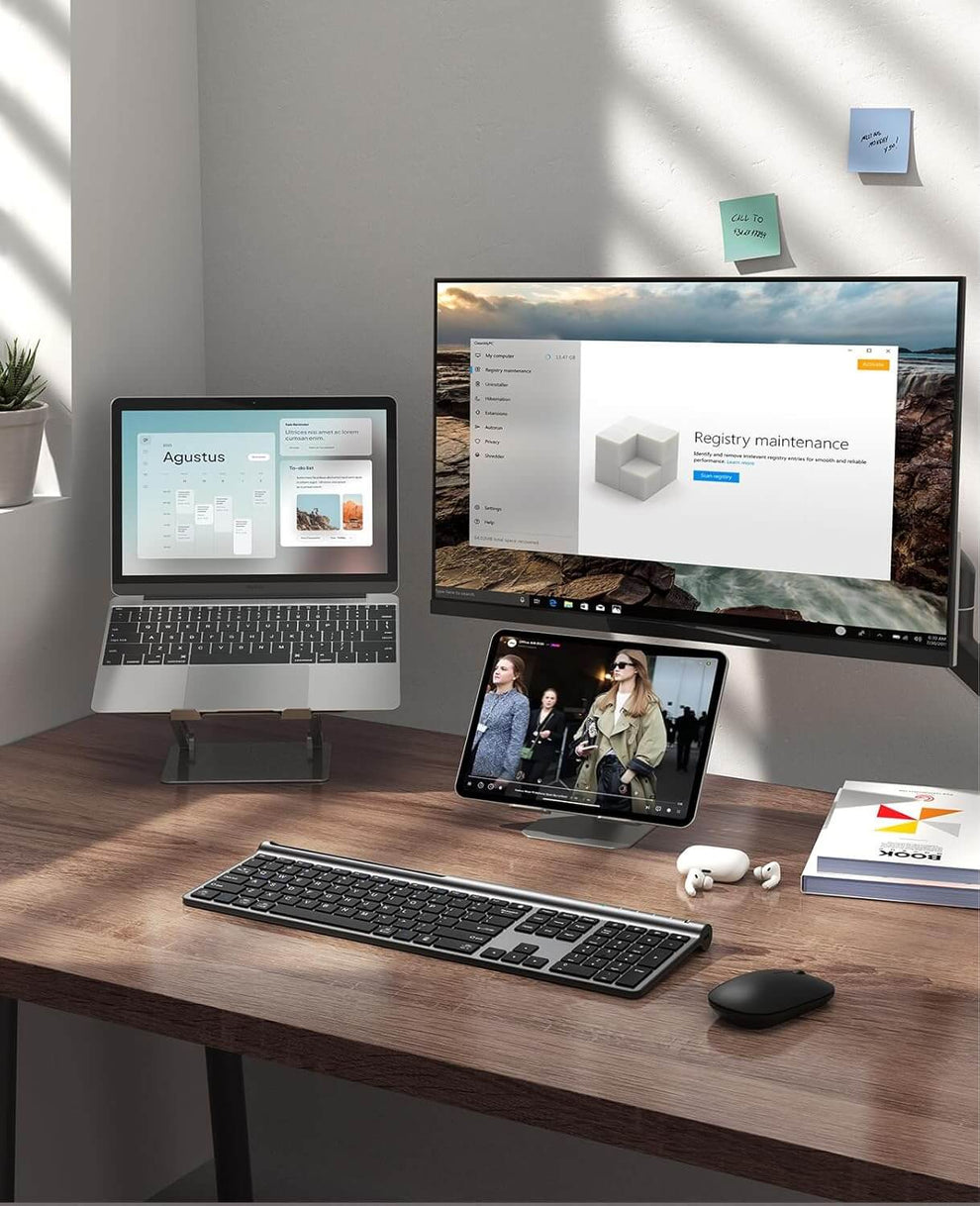
Why settle for a basic connection? The CHESONA Wireless Keyboard and Mouse Combo offers the flexibility iPad users actually need.
This is not just a Bluetooth mouse. It is a productivity setup designed to solve the wired vs wireless mouse debate with flexible connection options.
- Wireless & 2.4G Connection: Supports Bluetooth 5.0, 3.0, and a 2.4G dongle.
- Multi‑Device Control: Connect up to 3 devices and switch with one button.
- Eco‑Friendly Power: Built‑in rechargeable 280mAh lithium battery. No AA batteries.
- Premium Feel: Durable ABS+PC body with a clean dark gray finish.
- Quiet Precision: Low‑profile scissor keys for stable, silent typing.
Upgrade your desk setup today. Shop the CHESONA Wireless Combo.
Buy NowConclusion
The debate of wired vs wireless mouse for iPad has a clear winner for the modern user. Wireless technology has advanced to the point where the freedom from cables outweighs the minor benefits of a wired connection. By keeping your port free and your bag tidy, a wireless mouse transforms your iPad into the portable workstation it was meant to be.
Don't let cables hold you back. Embrace the freedom of a clean desk and a versatile workflow.
Ready to cut the cord? Check out our wireless keyboard and mouse collection and upgrade your setup today.
FAQs About Wired vs Wireless Mouse for iPad
Does using a Bluetooth mouse drain my iPad battery?
Using Bluetooth does consume a small amount of power, but it is negligible compared to the screen brightness. In fact, a wired mouse often drains more power because it pulls electricity directly from the iPad's USB-C port to power its sensor.
Can I use a wireless mouse without a USB dongle?
Yes! iPads do not have USB-A ports, so Bluetooth mice are ideal. The CHESONA combo supports Bluetooth 5.0 directly, meaning no dongles are required to connect to your iPad.
Why is my wireless mouse laggy on iPad?
This can happen due to interference or low battery. Ensure your mouse is charged (easy with our rechargeable combo) and try to keep other Bluetooth devices to a minimum if you experience stuttering.
Do I need a specific "Apple" mouse?
No. Any standard mouse works. However, third-party options like our USB keyboard and mouse collections often offer better ergonomics and multi-device features at a better price point.
