

Finding the best Bluetooth keyboard for Mac can instantly improve your typing comfort, work speed, and overall productivity.
A good keyboard helps you type faster, reduces wrist strain, and supports Mac-specific shortcuts like Command, Option, Spotlight, and Mission Control.
But with so many compact, mechanical, and full-size wireless keyboards available, choosing the right one can feel confusing.
This guide breaks down everything you need to know to pick a keyboard that fits your work style, setup, and budget.
Quick Takeaways:
- The best Bluetooth keyboards for Mac offer Mac layout keys, stable wireless connection, long battery life, and quiet or mechanical switches based on your preference.
- Multi-device keyboards are helpful if you switch between a Mac, an iPad, and an iPhone.
- Scissor switch keyboards feel more like Apple’s Magic Keyboard. Mechanical keyboards offer more feedback.
- The Chesona Wireless Keyboard and Mouse Combo is a strong pick for Mac users who want multi-device control and a full-size layout.
Chesona Products You May Also Like
Explore More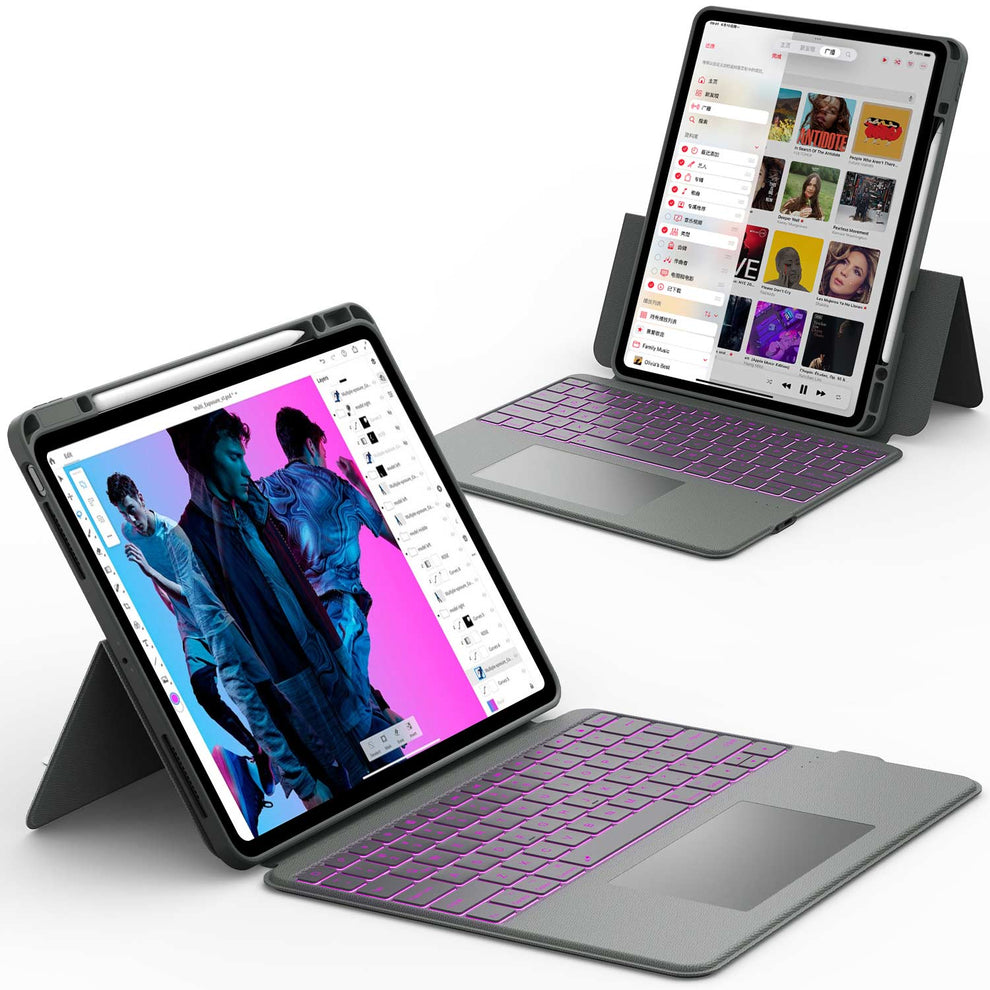


What Makes the Best Bluetooth Keyboard for Mac
Choosing the right Bluetooth keyboard for Mac depends on layout, comfort, switch type, connectivity, and battery performance. A Mac-compatible keyboard should feel natural and support Apple shortcuts out of the box.
Mac Layout and Shortcut Support
Mac-specific keyboards include:
- Command and Option keys
- Media keys for brightness and volume
- Spotlight search shortcut
- Mission Control shortcut
- Proper function key mapping
If a keyboard is designed for Windows first, shortcuts may not work correctly.
Key Switch Type: Scissor, Mechanical, or Low Profile
Your typing feel is one of the biggest factors.
Scissor switch keyboards
- Similar to MacBook keyboards
- Quiet
- Low profile
- Smooth and light
Mechanical keyboards
- Tactile feedback
- More durable
- Faster for extended typing
- Louder than scissor switches
Low-profile mechanical switches
- Mix of mechanical feel and MacBook-style thin keys
- Good for users switching from a laptop to a keyboard
Multi-Device Connectivity and Fast Switching
This is helpful if you work across multiple Apple devices.
Some keyboards connect to:
- Mac
- iPad
- iPhone
- Windows or Android
Good keyboards include 2 or 3 Bluetooth channels or a mix of Bluetooth + 2.4G wireless.
Battery Life and Charging Type
USB-C charging is the preferred choice for Mac users.
Look for keyboards with:
- Rechargeable batteries
- Long sleep timers
- Auto wake functions
Best Bluetooth Keyboard for Mac: Top Picks
This section covers the best keyboard types for different Mac users. It includes scissor switch keyboards, mechanical keyboards, budget options, full-size layouts, and compact travel picks.
Best Overall Choice for Most Mac Users
A great overall keyboard should be quiet, comfortable, accurate, and have a Mac layout. It should also stay connected without lag. These keyboards usually include backlighting and long battery life.
Best Mechanical Bluetooth Keyboard for Mac
Mechanical keyboards are popular with writers, programmers, and office workers. They provide solid feedback, reduce typos, and feel premium.
Features to look for:
- Mac keycaps
- Adjustable switches
- Multi device support
- Quiet switch options
Best Compact Bluetooth Keyboard for Mac
Compact keyboards are ideal for small desks or travel.
They offer:
- Lightweight design
- Shorter key travel
- No num pad
-
Better ergonomics for mouse users
Best Budget Bluetooth Keyboard for Mac
Budget keyboards still offer strong performance if you look for:
- Stable Bluetooth
- Scissor switches
- Mac-compatible shortcuts
-
Rechargeable batteries
Best Full-Size Keyboard for Home and Office
A full-size keyboard includes:
- Number pad
- Full function row
- Dedicated arrow keys
- Larger spacing for comfort
Great for accounts, writers, and data-heavy users.
✨Also Read: 2025 Ultimate Guide: Best iPad Keyboard Cases for Professionals
Why the Chesona Wireless Keyboard and Mouse Combo Is a Top Pick

The Chesona Wireless Keyboard and Mouse Combo is a strong option for Mac users who want a full size layout, multi-device support, and reliable wireless performance. It also pairs well with iPads and iPhones, making it ideal for hybrid Apple setups.
Mac Compatible Layout With Multi-Device Support
The Chesona combo supports:
- BT 5.0
- BT 3.0
-
2.4G wireless
This allows you to switch instantly between your Mac, iPad, and iPhone using simple shortcut keys.
Full-Size Quiet Keys for Comfortable Typing
The keyboard offers:
- Full-size keys
- Quiet scissor switch typing
- Good spacing for long work sessions
It suits people who type for many hours each day.
Rechargeable Battery and Stable Wireless Signal
This keyboard uses a built-in rechargeable battery with long life. The Bluetooth signal is strong, stable, and reliable across devices.
Perfect for Hybrid Mac and iPad Users
If you move between:
This keyboard makes switching effortless. It fits creative workers, office users, and students.
Final Verdict: Which Bluetooth Keyboard Is Best for Mac Users
The right Bluetooth keyboard for your Mac depends on how you work every day. Mac users have different needs.
Some want a quiet tool for long office sessions. Others need something light for travel.
The best choice is the keyboard that matches your workflow, comfort level, and device setup. Below is a clear breakdown to help you pick the perfect fit.
Best for Office Work
Choose a full-size keyboard with quiet scissor switches and a long battery life. This layout gives you a number pad, stable keys, and a natural typing angle for long hours. The quiet keys reduce noise in shared spaces. A strong battery also means fewer charging breaks during your workweek.
Best for Travel
A compact and lightweight keyboard is the most practical option. Slim designs slide easily into a bag and are simple to set up at cafés, coworking spaces, or hotel desks.
Even with the smaller frame, make sure the keys feel stable and responsive to avoid typos. A travel keyboard with Bluetooth 5.0 or higher also ensures a quick and stable connection.
Best for Everyday Typing
A balanced full-size keyboard works well for users who type often at home or at the office.
Look for keys with a soft but responsive feel and a layout that matches the Mac shortcuts you use every day.
A comfortable typing surface helps reduce fatigue during long writing or editing sessions.
Best for Multitaskers
A multi-device keyboard is the top choice if you switch between a Mac, iPad, or iPhone. A model like the Chesona Wireless Keyboard and Mouse Combo lets you move between devices with one tap.
This saves time and keeps your workspace clean. It is especially useful for people who work across multiple screens or handle tasks on both desktop and mobile.
Conclusion
The best Bluetooth keyboard for Mac depends on the type of work you do and the typing experience you prefer. If you need comfort and full Mac shortcuts, choose a full-size keyboard.
If you travel daily or work in small spaces, a compact keyboard works better. Multi device keyboards are great for people who switch between a Mac, iPad, and iPhone.
No matter your workflow, the right keyboard will help you type faster and work more comfortably every day.
To explore keyboards and accessories that pair well with your Apple devices, check out these collections:
- 👉 Bluetooth Keyboard and Mouse
- 👉 iPad Pro 12.9 Cases
- 👉 iPad Air 10.5 Cases
- 👉 Apple Keyboard and Mouse Accessories
FAQs About the Best Bluetooth Keyboard for Mac
What is the best Bluetooth keyboard for Mac?
The best Bluetooth keyboard for Mac is one that matches your typing style and Mac layout. Look for a keyboard with Mac-specific keys, stable Bluetooth connection, and long battery life. A comfortable key feel and fast response help with daily typing. Wireless keyboards designed for Mac usually give the smoothest experience.
Do all Bluetooth keyboards work with Mac?
Most Bluetooth keyboards can connect to a Mac without problems. However, keyboards made for Mac work better with shortcut keys like Command and Option. They also show the correct key labels, which makes typing easier. For best results, choose a keyboard that states Mac compatibility.
Is a mechanical keyboard good for Mac users?
Yes. Mechanical keyboards are popular with Mac users because they offer better typing feel and speed. They are durable and respond well for long typing sessions. Quiet switches are a good choice if you work in shared spaces or offices.
Is a full size or compact keyboard better for Mac?
A full-size keyboard is better for office work, spreadsheets, and number input because it includes a numeric keypad. A compact keyboard saves desk space and is easier to carry for travel. Both work well on Mac, so the right choice depends on your workspace.
What is the best budget Bluetooth keyboard for Mac?
A strong budget option is the Chesona Wireless Keyboard and Mouse Combo. It offers reliable Bluetooth, Mac-friendly keys, and good battery life at a lower cost. This makes it a good choice for daily work without spending too much.
