You have shot amazing footage on your iPhone or iPad, and now it's time to tell the story. But when it comes to iMovie vs Final Cut Pro, the choice isn't just about price—it's about ambition.
Is iMovie enough for a YouTube career? Is Final Cut Pro overkill for a vacation video? With the recent release of Final Cut Pro for iPad, the line between "amateur" and "pro" has blurred.
In this guide, we compare these two Apple giants side-by-side to help you decide which tool deserves a spot on your home screen.
■ What To Know 💡
- iMovie: Best for beginners, simple cuts, and quick social media edits. It's free and pre-installed.
- Final Cut Pro: Best for professionals needing multi-cam support, advanced color grading, and magnetic timelines.
- The Learning Curve: iMovie is instant; Final Cut requires study.
- Storage Warning: Both apps eat up space fast with 4K footage.
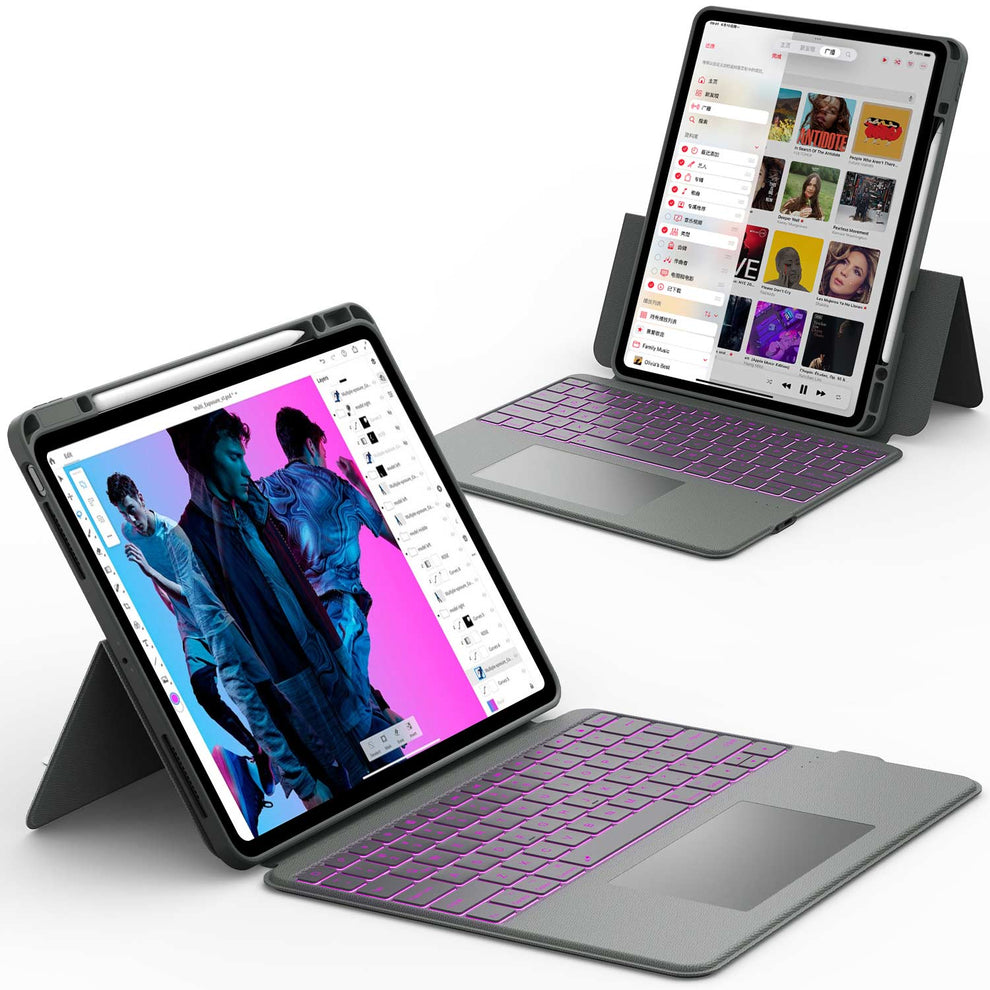
- Pro Tip: Serious about editing on iPad? You need external storage. We recommend the ArmorDock Series Keyboard Case which includes a built-in SSD enclosure to store terabytes of footage directly in your case.
Final Cut Pro vs iMovie on iPad: Is It Worth Upgrading?

iMovie on iPad is fine when you:
- Cut simple vertical videos for TikTok, Reels, or Shorts.
- Make quick slideshows or family videos.
- Prefer touch‑first editing with basic tools.
What to do in iMovie on iPad:
- Trim and split clips with gestures.
- Add titles, a few transitions, and background music.
- Export directly to Photos or your social platform.
When Final Cut Pro on iPad Makes Sense
Upgrade to Final Cut Pro on iPad if you:
- Need more layers, effects, titles, and audio control.
- Want better color grading for product shots or cinematic B‑roll.
- Care about consistent branding and templates across projects.
What to do once you have Final Cut Pro on iPad:
- Pair it with a keyboard case for easier navigation and shortcuts.
- Use external SSD storage to keep your iPad's internal storage from filling up.
- Consider a 2025 iPad Pro 13 or 2025 iPad Pro 12.9 if you edit often or handle big files.
For serious iPad editors, the ArmorDock keyboard case for the iPad Pro 12.9 is a smart upgrade. It gives you a laptop‑style typing experience, extra ports, and an SSD bay for faster media – ideal for editing on the go and docking at a desk.
iMovie: The Best Place to Start

For 90% of casual users, iMovie is the perfect tool. It simplifies the editing process into a "drag-and-drop" experience that anyone can master in minutes.
Key Benefits:
- It’s Free: No subscriptions, no upfront cost.
- Cross-Device Sync: Start an edit on your iPhone during your commute and finish it on your iPad Pro at home.
- Simplicity: Limited tracks mean you can't "break" your project by accidentally layering too many effects.
However, simplicity comes at a cost. If you are trying to layer multiple audio tracks or do precise color correction, you will hit a wall fast.
Final Cut Pro: The Hollywood Standard

Final Cut Pro (FCP) isn't just an app; it's a career. Used to edit major motion pictures, it offers granular control over every pixel and sound wave.
Why upgrade to Pro?
- Magnetic Timeline: A unique feature that keeps clips connected without collisions, making reordering scenes effortless.
- Multicam Editing: Sync up to 4 angles automatically—essential for interviews or podcasts.
- Object Tracker: On the iPad version, you can use the Apple Pencil to draw on video and have effects track movement instantly.
Using FCP on an iPad is a touch-first experience. To get the most out of shortcuts (like J, K, L for playback control), you absolutely need a tactile interface.
The "Storage" Elephant in the Room
Here is the reality of video editing that nobody tells you: 4K video files are massive.
Whether you choose iMovie vs Final Cut Pro, a 10-minute 4K project can easily eat up 50GB of space. iPads have limited internal storage, and cloud syncing large video files is slow.
The Solution for Editors: You need fast, local storage. The CHESONA ArmorDock Series Keyboard Case solves this problem elegantly. It features a built-in SSD Slot that supports up to 2TB of storage.
You can keep your massive Final Cut libraries on the case's drive, keeping your iPad's internal storage free for apps.
Final Cut Pro vs iMovie: Side‑by‑Side Summary
See exactly what you get (and what you pay for).
| Feature | iMovie | Final Cut Pro |
|---|---|---|
| Price | Free | Subscription (iPad) / One-time (Mac) |
| Video Tracks | 2 Tracks | Unlimited |
| Color Grading | Basic Filters | Advanced Wheels & Curves |
| Audio Control | Basic Levels | Voice Isolation & EQ |
| Best For | Home Movies, Quick Socials | YouTube Pros, Films, Docs |
The Hardware You Need
Software is only half the battle. To run Final Cut Pro smoothly, you need the M-series chips found in the latest iPads.
- For the 12.9" Power User: If you have the big screen, you need protection that doesn't add bulk. Browse our iPad Pro 12.9 Cases (6th/5th/4th/3rd Gen) to keep your editing rig safe.
- For the New Generation: If you just upgraded, check out our 2025 iPad Pro 13 Collection.
Don't forget the keyboard. Editing on glass is imprecise. A keyboard case for iPad 11 Pro gives you the trackpad precision needed to trim clips frame-by-frame.
FAQ: Final Cut Pro vs iMovie
Is Final Cut Pro better than iMovie?
Final Cut Pro is much more powerful than iMovie in terms of editing tools and control. It offers advanced color grading, audio editing, and effects that iMovie does not have. iMovie is great for simple projects, but Final Cut Pro is built for serious video work. The choice depends on how complex your editing needs are.
What is the No. 1 best video editor?
There is no single best video editor for everyone, but Final Cut Pro is often ranked among the top choices for Mac users. It is fast, reliable, and widely used by professionals. Other editors may be better for different platforms or styles. The best editor is the one that fits your workflow and skill level.
Is iMovie professional enough?
iMovie is professional enough for basic videos like vlogs, school projects, and simple business content. It offers clean templates, easy trimming, and basic effects. However, it lacks advanced tools needed for high-end production. Many creators outgrow iMovie as their editing skills improve.
Is Final Cut Pro on iPad the same as on Mac?
Not exactly. The iPad version is touch-optimized and has features like "Live Drawing." However, it lacks some third-party plugin support found on the Mac. Read more in our guide: Can the iPad Pro replace your laptop?
Which iPad is best for editing?
The best iPad for editing is the iPad Pro with the M-series chip. It has the fastest performance, large high-resolution display, and long battery life that help with video or photo editing. The larger screen (12.9-inch) makes it easier to work with timelines and fine details. Apps like LumaFusion and Adobe Lightroom run smoothly on this model. (See our deep dive on the best iPad for video editing.)
Is Final Cut Pro used in movies?
Yes, Final Cut Pro has been used in real movies and professional film projects. It is trusted for its speed, stability, and high-quality output. Some independent films and documentaries are edited fully in Final Cut Pro. It is also common in TV, online media, and commercial work.
Conclusion
In the battle of iMovie vs Final Cut Pro, the winner depends on your goals. If you want to make memories, iMovie is fantastic. If you want to make art (or money), Final Cut Pro is the necessary investment.
Final Thought: Great editing isn't just about software; it's about flow. Don't let storage warnings or a clumsy touchscreen slow your creativity.
Ready to build the ultimate mobile studio? Equip your device with an iPad Pro 12.9 Case with Keyboard and start cutting your masterpiece today.