

Quick Recommendation
The best iPad keyboard case for students depends on how the iPad moves through the school day. Start with the workflow, then confirm exact iPad model compatibility before buying.
- Choose Chesona Step if you switch between class notes, tablet reading, online lessons, and typed assignments.
- Choose Chesona Cloud if your school iPad is used mostly for writing, documents, email, research, and trackpad navigation.
- Choose Chesona Rugged if backpack carry, travel, shared classrooms, or rougher daily movement are the main concern.
- Choose a detachable keyboard path when you want typing support without keeping the iPad in keyboard mode all day.
- Avoid choosing only by price or appearance. A student setup should fit the way you study, carry, and switch tasks.

Who Is This Guide For?
This guide is for students, online learners, note-takers, and parents choosing an iPad keyboard case for school. It is most useful when the iPad is used for class notes, research, video lessons, homework, writing assignments, messages, and daily carry between classrooms, library tables, dorm desks, and backpacks.
The core decision is not simply "which keyboard case fits an iPad?" It is "which keyboard case fits a student's day?" A case that works well for long writing sessions may not be the best fit for a student who switches often between handwritten notes and typing. A protection-first case may be right for daily carry, while a lighter detachable setup may feel better for class and study.
Workflow Recommendation Matrix
Class Notes, Online Lessons, Reading, And Assignments
Main priority: Flexible tablet and typing modes.
Recommended Chesona path: Step.
Step is the student and learning-focused detachable keyboard path for note-taking, online class, and flexible study setups.
Long Writing Sessions, Documents, Research, And Email
Main priority: Daily typing and touchpad productivity.
Recommended Chesona path: Cloud.
Cloud is the stronger path when writing, touchpad control, and light office work are the main school tasks.
School Bag, Commuting, Shared Spaces, And Travel
Main priority: Protection-first daily carry.
Recommended Chesona path: Rugged.
Rugged is the better route when the iPad needs more practical carry confidence across school and travel.
How To Choose An iPad Keyboard Case For School
Before buying, map the case to your school routine. The current article already helps students compare comfort, protection, battery life, lightweight design, and fit. This refresh keeps that buying logic, then makes the decision more workflow-specific.
Decide How Often You Switch Modes
Students often move from watching a lecture to handwritten notes, then to a typed assignment or group message. If you switch modes several times a day, a detachable keyboard setup can feel more natural than a fixed laptop-style setup.
Choose a detachable path when you want tablet mode for reading or handwriting, keyboard mode for assignments and messages, and a setup that can move from class to library to dorm without forcing one posture all day.

Check Typing And Trackpad Needs
If the iPad is your main writing device, typing comfort and cursor control matter. A trackpad can help with document editing, browser research, app switching, and selecting text without constantly reaching for the screen.
If you type every day, compare keyboard layout, viewing posture, touchpad availability, and how stable the setup feels on a desk. Do not rely on general claims. Check the product page for the exact model you plan to buy.
Think About Daily Carry
A school iPad spends time in backpacks, classrooms, libraries, cafeterias, and shared spaces. If daily carry is your biggest concern, prioritize a case path that supports protection and stable use. Keep protection language practical: do not assume waterproof, drop-proof, or certified protection unless the product page verifies it.
Confirm Your iPad Model
Compatibility is not a small detail. Before purchase, confirm your iPad model number and screen size against the product page. Button placement, camera cutouts, speaker openings, charging port access, and stylus storage can vary by model.
Recommended Chesona Product Paths
Chesona Step For Flexible Student Learning
Chesona Step is the primary recommendation for this guide because the queue, product positioning, and audience workflow sources all point to student learning, detachable keyboard use, online class, and note-taking.
Use Step when your school day includes attending class, taking notes, researching, writing assignments, reviewing materials, and switching between tablet mode and typing mode.
Compatibility reminder: confirm the exact iPad model on the product page before purchase.

Chesona Cloud For Daily Writing And Study Productivity
Choose Chesona Cloud when the student's main need is daily writing, document editing, email, research, touchpad control, and light office-style productivity. Cloud is the stronger path when the iPad is used like a focused writing and schoolwork station for long sessions.
Chesona Rugged For Protection-First School Carry
Choose Chesona Rugged when the iPad is carried through school, travel, shared study spaces, or rougher daily conditions. Rugged should be framed as a protection-first workflow path, not as an unsupported waterproof, drop-proof, or certified protection claim.
Product Comparison Table
Step
Best-fit student: Students, online learners, and note-takers.
Main workflow: Class, notes, homework, and review.
Key decision factor: Detachable learning setup.
Compatibility reminder: Confirm exact iPad model on the product page.
Cloud
Best-fit student: Students who write often.
Main workflow: Research, documents, typing, and touchpad navigation.
Key decision factor: Daily productivity and control.
Compatibility reminder: Confirm model-specific product listing.
Rugged
Best-fit student: Students who carry iPad heavily.
Main workflow: School bag, travel, and shared spaces.
Key decision factor: Protection-first daily setup.
Compatibility reminder: Check fit and product listing details.
How Chesona Compares With Apple Magic Keyboard For Students
The current article includes a Magic Keyboard comparison, and that comparison should stay because students often search across Apple and third-party keyboard case options. Keep the comparison practical and fair. Apple Magic Keyboard may appeal to students who want Apple's own keyboard experience, while Chesona paths can be considered when a student wants a keyboard case decision built around study workflow, detachable use, daily productivity, or protection-first carry.
Do not frame the article as an attack on Apple or use unsupported claims. The useful comparison is about student fit: class mode, typed assignments, portability, protection needs, and the exact iPad model being used.
Common Mistakes Students Make When Buying An iPad Keyboard Case
- Buying before checking model fit: always confirm the exact iPad model and size.
- Choosing only by appearance: a case should support how you study, not only how it looks.
- Ignoring typing workload: long assignments need a more comfortable typing setup than occasional messages.
- Forgetting daily carry: classrooms, backpacks, and shared spaces can change what type of case makes sense.
- Overlooking mode switching: students who read, annotate, and type may benefit from a detachable setup.

KOL Video Proof
For a real-world look at a Step student learning workflow, use this approved external video proof card. The video is supporting context only and should not be used as a source for product specifications, compatibility claims, rankings, or performance claims.
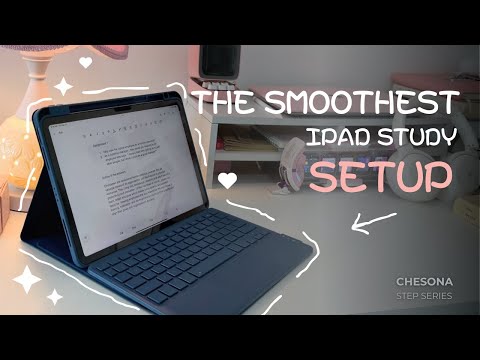 Watch a Chesona Step keyboard case video on YouTube
See a Step student learning workflow before choosing an iPad keyboard case for school.
Watch a Chesona Step keyboard case video on YouTube
See a Step student learning workflow before choosing an iPad keyboard case for school.
Related Buying Guides
FAQ
What type of iPad keyboard case is best for students?
For many students, the best fit is a keyboard case that supports both tablet use and typing. Choose a detachable keyboard path if you switch between reading, handwriting, class notes, and assignments. Choose a daily productivity path if most of your time is spent typing, editing documents, and using a trackpad.
Is a detachable keyboard case useful for school?
Yes, when the student often moves between tablet mode and typing mode. A detachable setup can support reading, note-taking, online lessons, and typed assignments without forcing the iPad into one posture all day.
Should students choose Step or Cloud?
Choose Step when flexible learning, note-taking, online class, and detachable keyboard use are the main needs. Choose Cloud when long typing sessions, touchpad control, writing, and daily productivity are more important.
Should students choose a rugged case?
Choose a Rugged path when school-bag carry, travel, shared spaces, or rougher daily movement matter more than a lighter study setup. Avoid assuming waterproof or certified protection unless the specific product page verifies it.
How do I connect a Chesona keyboard case by Bluetooth?
Some Chesona Bluetooth keyboard products may pair automatically on first startup. For manual pairing, follow the product manual for the exact model. Shortcuts and pairing names may vary, so model-specific setup instructions should be checked against the product manual.
Choose Your Student iPad Setup
If your iPad is part of your school day, choose the keyboard case by workflow first. Start with Step for flexible learning, Cloud for daily writing and touchpad productivity, or Rugged for protection-first carry. Always confirm exact iPad model compatibility on the product page before purchase.
