


People often ask the same question: can you code on an iPad and is it useful for real development? The answer is yes. Modern iPads are powerful enough to run coding apps, connect to cloud IDEs, and handle many programming tasks.
Whether you want to learn Python, try web development, explore Swift, or edit small projects while traveling, the iPad can do more than you might expect.
This guide explains how coding works on an iPad, what tools you need, what limitations to consider, and how to set up the best environment for beginners and students.
Quick Takeaways:
- Yes, you can code on an iPad using coding apps, cloud IDEs, and remote tools.
- iPads support languages like Python, JavaScript, Swift, C++ and many more.
- It works well for learning, practicing, web development, and small projects.
- For the best setup, use a coding app, a good keyboard case, and cloud storage.
Chesona Products You May Also Like
Explore More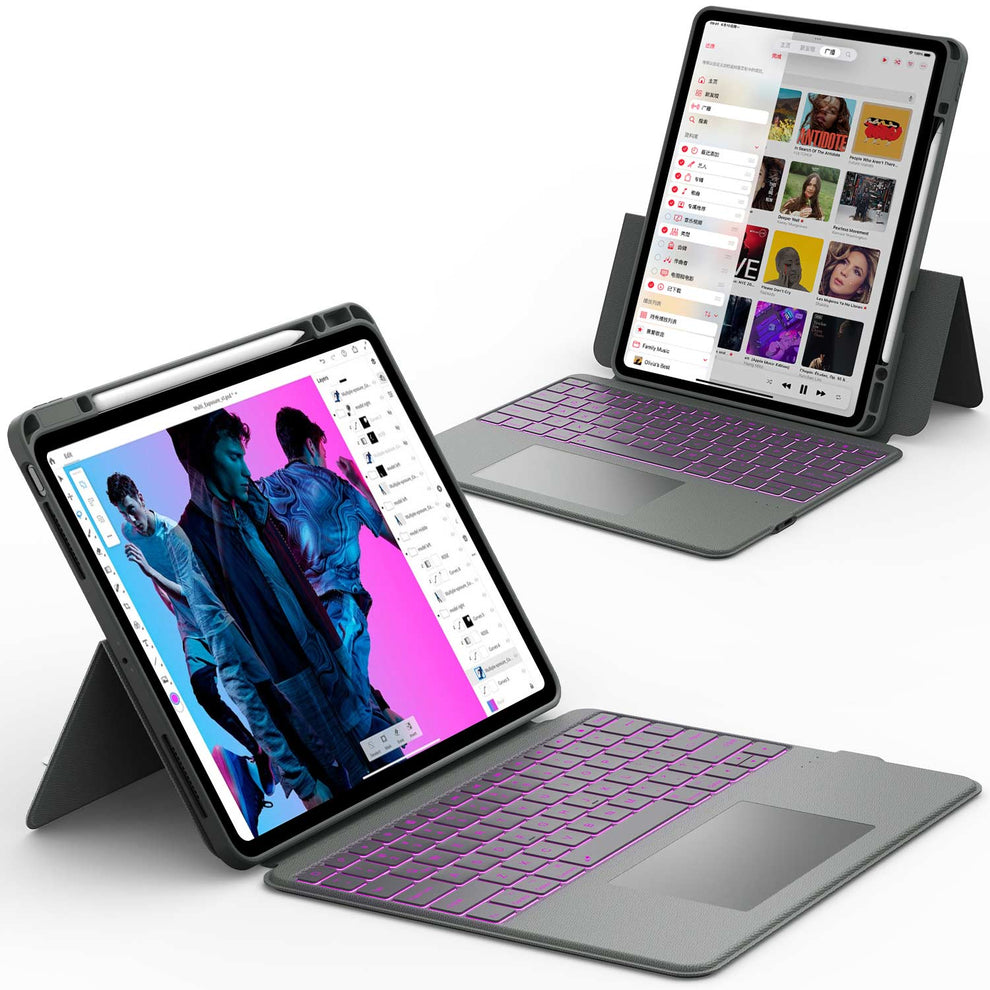


What It Means to Code on an iPad and How It Works
Coding on an iPad does not work the same way as coding on a full laptop or desktop, but iPads are now capable of handling many development tasks.
You can write, test, and manage code through apps, cloud tools, or external servers. The iPad’s touchscreen and portability also make it a flexible device for students and learners.
Coding App Options on iPad
The App Store includes many coding apps that support different languages. Some examples are:
- Swift Playgrounds for learning Swift
- Pythonista or Pyto for Python
- Codea for creative coding
- Textastic for HTML, CSS, JavaScript, and multi language editin
These apps allow you to write and test code directly on your device.
Cloud Based IDEs for iPad
Cloud IDEs are one of the best ways to code on an iPad. They run on the cloud, not on your local device. You access them through Safari or Chrome. These platforms give you a full coding environment without installing heavy software.
Popular cloud IDEs include:
- Replit
- GitHub Codespaces
- CodeSandbox
- AWS Cloud9
Cloud IDEs support many languages, including Python, JavaScript, Java, PHP, C++, and more.
Remote Coding Using External Servers or a Mac
Another option is connecting your iPad to a remote machine. This lets you code on a full development environment while using the iPad as the interface.
This works through:
- SSH apps
- VS Code Remote
- Remote desktop apps
Many developers use this for large projects or professional work.
📖 Read Related Article: How to Find Your Wi-Fi MAC Address on an iPad
What You Can Code on an iPad

iPads support a wide range of programming languages and workflows. You can use them for both learning and real development.
Web Development on iPad
You can write and test:
- HTML
- CSS
- JavaScript
- React (with cloud IDEs)
- Node.js (cloud or remote)
Many web developers use Textastic or Replit for front-end projects.
Learning Python, Java, or C++
Coding apps allow you to write and run simple scripts. Beginners often use:
- Pythonista
- Pyto
- Codea
- Cloud IDEs with built-in compilers
These solutions handle most basic coding tasks.
Swift Development for Apple Projects
Swift Playgrounds lets you build and test Swift code. Apple has added more advanced features in recent versions, enabling the creation of real app prototypes.
Best Coding Apps for iPad
While cloud IDEs are powerful, many users like local coding apps. Here are some top options.
Swift Playgrounds
Perfect for beginners who want to learn Swift. It includes guided lessons, interactive puzzles, and project-building tools.
Pythonista or Pyto
Both apps support full Python scripting with libraries, editors, and script runners. Pythonista is polished and popular for automation.
Textastic
A strong code editor that supports:
- HTML
- CSS
- JavaScript
- Markdown
- PHP
- C
-
Over 80 languages
It also integrates with Git and external servers.
Codea
Great for creative coding, visual projects, and interactive programs. Many students use it for game-related tasks.
Online IDEs
Replit, Codespaces, and CodeSandbox offer full environments inside your browser. They are ideal for multi-language work and teamwork.
📖 Read Related Article: Top iPad Apps for Coding this 2025
Can You Use an iPad for Professional Coding Work
The short answer is yes, but with limits. It depends on your workflow and the size of your project.
What Tasks iPads Handle Well
- Learning to code
- Writing scripts
- Editing small files
- Web development
- Running cloud-based projects
- Reviewing or debugging code
- Working while traveling or commuting
What Tasks Still Require a Laptop or Desktop
- Large software projects
- Full local compilers
- Heavy frameworks
- Projects with deep file structures
- Desktop IDEs like full VS Code or Xcode
📖 Read Related Article: Can You Put WhatsApp on an iPad? (Or Other Messaging Apps)
How to Get a Full Coding Setup Using Cloud Tools
If you work mostly with cloud IDEs, the iPad becomes almost as capable as a laptop. Cloud IDEs give you:
- Full terminals
- Git support
- Package managers
- Multi-window layouts
This removes many iPad limitations.
📖 Read Related Article: How To Use an iPad Keyboard Like a Pro
How to Set Up a Complete Coding Environment on an iPad
A good setup makes coding more comfortable and productive.
Step 1. Choose Your Main Coding App or Cloud IDE
Pick based on your project needs. Replit and Codespaces work for most languages. Swift Playgrounds is best for Swift learners.
Step 2. Use an External Keyboard for Faster Typing
An iPad keyboard case helps with speed and comfort. Many developers use cases with trackpads because shortcuts and cursor movement make coding easier.
Step 3. Organize Files With the Files App
Create dedicated folders for:
- Projects
- Scripts
- Notes
- Git repos
- Downloads
You can also connect cloud storage like iCloud, Google Drive, or OneDrive.
Step 4. Add Accessories for a Comfortable Workspace
Useful accessories include:
- Keyboard cases
- Trackpads
- Tablet stands
- External storage
- Bluetooth mice
These help transform the iPad into a workstation.
Limitations of Coding on an iPad and How to Work Around Them

It is important to understand what iPads cannot do.
No Full Desktop IDEs
You cannot install full versions of:
- VS Code
- Xcode
- Android Studio
-
Visual Studio
Workaround: use GitHub Codespaces or a remote desktop.
Limited Local File Access
iPadOS uses a sandbox system. Some apps cannot access each other’s files.
Workaround: use the Files app and cloud sync instead of relying only on local storage.
Workarounds Using Cloud IDEs and Remote Servers
Cloud IDEs bypass most limitations by giving you full development environments online.
Conclusion
Coding on an iPad is fully possible and surprisingly practical for many tasks. You can write scripts, learn new languages, build small apps, and work inside cloud IDEs with ease.
While an iPad is not a complete replacement for a desktop for heavy software development, it is excellent for learning, practicing, and coding on the go. With the right tools and accessories, you can turn your iPad into a flexible coding workstation.
If you want to upgrade your iPad setup, explore these top cases for better comfort and productivity:
FAQs About Coding on an iPad
Can you code real projects on an iPad?
Yes. You can code real projects on an iPad using apps like Swift Playgrounds and Python tools, as well as cloud platforms such as Replit or GitHub Codespaces. These options let you write, test, and run real code directly in your browser or app. Many students and beginners use an iPad to build apps, scripts, and small projects.
Is an iPad good for coding beginners?
Yes. An iPad is a good choice for coding beginners because the setup is simple and beginner-friendly. Guided apps help users learn step by step without complex system setup. This makes learning code less overwhelming for new developers.
Can you run Python on an iPad?
Yes. Apps like Pythonista and Pyto let you write and run Python code directly on an iPad. You can execute scripts, test logic, and practice programming without needing a computer. This works well for learning, automation, and small coding tasks.
Can an iPad replace a laptop for coding?
For learning and small projects, yes. An iPad is good for web-based coding, practice, and light development work. For advanced tools, large codebases, or heavy multitasking, a laptop is still the better option. Professional developers usually need full desktop support.
Do you need a keyboard to code on an iPad?
A keyboard is highly recommended. Typing code on a touchscreen is slower and less comfortable for long sessions. A keyboard case improves speed, accuracy, and overall coding comfort.
