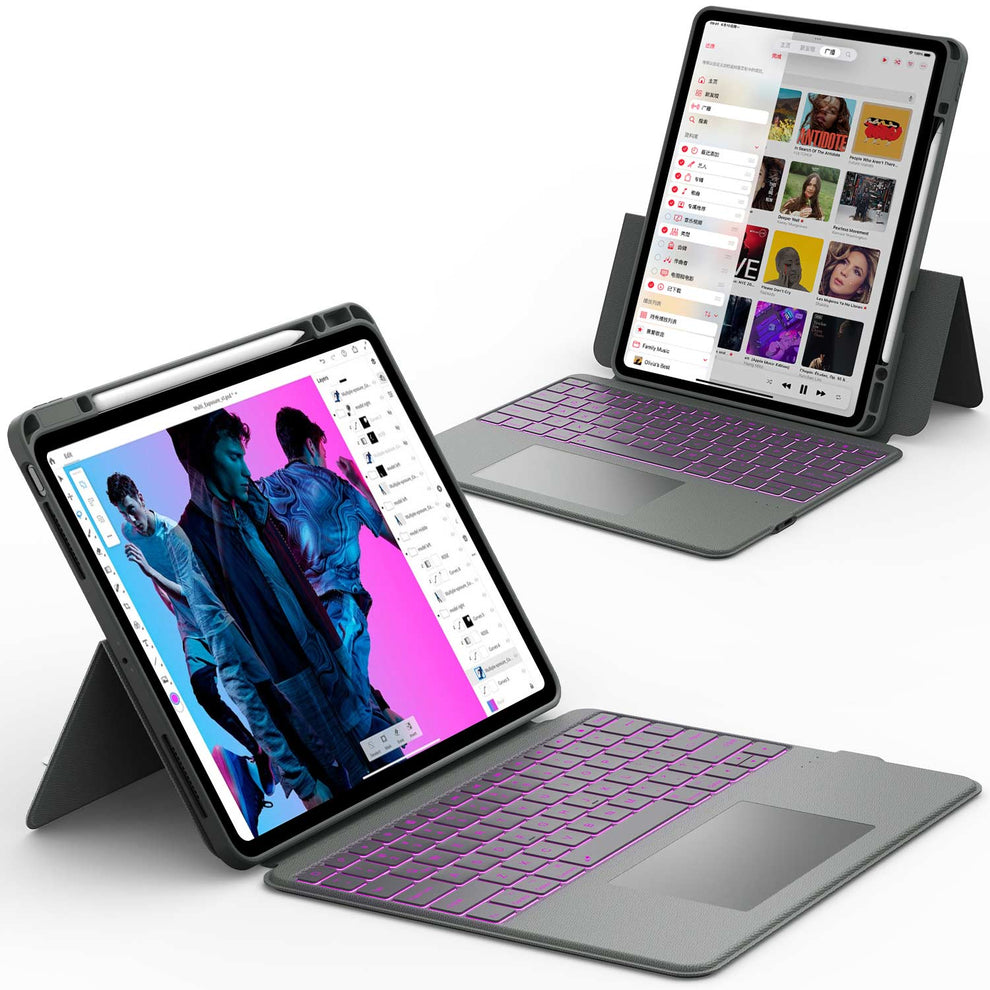
Is your team still lugging around heavy laptops and tangled chargers? In the fast-paced market of 2026, agility is currency. One of the most significant iPad benefits for business is the ability to operate from anywhere—whether you are closing a deal in a coffee shop or managing inventory on a warehouse floor.
But the iPad is no longer just a "companion" device. For many industries, it has become the primary computer. In this guide, we will explore why switching to a tablet-first strategy can streamline your workflow, cut IT costs, and help you present a more modern image to your clients.
■ What To Know 💡
- Mobility: Work from anywhere without the weight of a laptop.
- Client Engagement: Interactive visuals impress clients more than static slides.
- Cost Savings: Lower hardware and maintenance costs than traditional PCs.
- Versatility: Transforms from a laptop to a scanner to a POS system instantly.
iPad vs. Laptop: Which is Best for Business?
Still on the fence? Here is how the iPad stacks up against a traditional business laptop.
| Feature | iPad Pro + Keyboard | Traditional Laptop |
|---|---|---|
| Portability | Ultra-Light (Under 2lbs) | Heavy (3-5lbs) |
| Battery Life | All-Day (10+ Hours) | Varies (4-8 Hours) |
| Connectivity | 5G Cellular Built-in | Wi-Fi Only (Usually) |
| Camera | High-Res Rear Camera (Scanning) | Low-Res Webcam Only |
| Input | Touch, Pencil, Keyboard, Trackpad | Keyboard & Trackpad Only |
Mobility and Flexibility: Work Anywhere, Meet Anywhere
Lightweight Hardware That Employees Actually Like
An underrated iPad benefit for business is adoption. Employees are more likely to carry a device they don’t hate.
- A 13‑inch iPad Pro with a thin keyboard case is dramatically lighter than most business laptops.
- Frontline staff can comfortably use an iPad 11 or 12.9 while standing, walking the sales floor, or moving between rooms.
You can standardize on modern sizes like:
- 2025 iPad Pro 13 for managers and creatives who need more screen
- iPad Pro 12.9 cases (6th/5th/4th/3rd gen) for existing fleets that still have plenty of life left
Add a shoulder strap or rugged case, and iPad becomes a practical daily companion, not a burden.
Perfect for On‑Site, On‑Floor, and On‑Call Work
Use iPads where laptops feel clumsy:
- Retail & hospitality: POS terminals, digital menus, staff communication tablets.
- Real estate & sales: Interactive property tours, on‑the‑spot contract signatures.
- Healthcare & field services: Patient charts or work orders right at the bedside or job site.
If you plan to deploy iPads in customer‑facing scenarios, understanding iPad kiosk mode (locking the iPad to one app or screen) is essential—ideal for check‑ins, self‑service ordering, or showroom displays.
Productivity: Why iPads Help People Get More Done
Focused Multitasking Without Overwhelm
iPadOS tries to keep things simple:
- Split View and Slide Over for 2–3 apps at once, not 20 overlapping windows.
- Quick app switching via the Dock and gestures.
For many employees, this is a feature, not a limitation. It reduces decision fatigue, helps them stay in “one job at a time” mode, and can improve focus on the task at hand.
Pair this with carefully chosen iPad apps for business owners in 2025 (project management, CRM, billing), and the device becomes a streamlined tool instead of a distraction machine.
Keyboard Shortcuts and Pro Workflows
Attach a keyboard case and the iPad quickly feels more like a laptop:
- Command + Space – search
- Command + Tab – switch apps
- Command + C / V / X – copy/paste/cut
- Many apps even support desktop‑grade shortcuts (e.g., in Office or Google Workspace).
Tutorials such as how to use an iPad keyboard like a pro can dramatically shorten training time when rolling iPads out to teams.
Paperless Processes: Scanning, Signing, and Sharing
Another major iPad benefit for business is how easily it replaces printers, scanners, and clipboards:
- Scan documents with the camera and turn them into PDFs in seconds.
- Use Apple Pencil or finger to sign contracts digitally.
- Email, store in cloud, or upload to your CRM on the spot.
If document handling is a big part of your business, look at the best ways to scan on iPad to standardize on a simple, repeatable workflow across your team.
Seamless Handoff Between iPhone, iPad, and Mac
Apple’s ecosystem synergy is a huge, often underestimated business advantage:
- Copy on Mac, paste on iPad (Universal Clipboard).
- Start an email on iPhone, finish it on iPad.
- Sync notes, reminders, and files instantly through iCloud.
For small teams already using iPhones, an iPad rollout can be smoother than introducing an entirely new platform. A primer like best iPad for business helps you choose which models align with your existing device mix.
Perfect Companion for Shared Workspaces
With the right stand and case, an iPad becomes:
- A shared meeting room screen
- A digital whiteboard
- A check‑in or info kiosk in reception
Collaboration and Ecosystem: iPad in the Apple Business Stack

Seamless Handoff Between iPhone, iPad, and Mac
Apple’s ecosystem synergy is a huge, often underestimated business advantage:
- Copy on Mac, paste on iPad (Universal Clipboard).
- Start an email on iPhone, finish it on iPad.
- Sync notes, reminders, and files instantly through iCloud.
For small teams already using iPhones, an iPad rollout can be smoother than introducing an entirely new platform. A primer like best iPad for business helps you choose which models align with your existing device mix.
Perfect Companion for Shared Workspaces
With the right stand and case, an iPad becomes:
- A shared meeting room screen
- A digital whiteboard
- A check‑in or info kiosk in reception
Guides such as best iPad stand and what’s the best material for an iPad case? can help you pick hardware that survives heavy use while still looking professional in client‑visible spaces.
Security and Manageability: Easier IT, Fewer Nightmares

Built‑In Security That’s Enterprise Ready
iPads ship with strong security fundamentals:
- Disk encryption by default
- Face ID / Touch ID for secure and fast unlock
- Signed apps from the App Store, reducing malware risk
For many small and mid‑sized businesses, this means fewer virus issues, fewer support calls, and less time firefighting preventable security problems.
MDM and Fleet Management
For larger deployments, Apple’s ecosystem supports:
- Mobile Device Management (MDM) to enforce policies, push apps, and manage configurations
- Remote wipe for lost or stolen devices
- Role‑specific home screens and app sets for different teams
Because hardware options are simpler (a few iPad lines instead of dozens of laptop SKUs), IT can standardize more easily and support devices more predictably.
Turning the Tablet into a Laptop (iPad Pro + ArmorDock)
One of the most compelling iPad benefits for business power users is how close a properly docked iPad can get to a laptop or even desktop replacement.

CHESONA ArmorDock Series Keyboard Case for iPad Pro with SSD
- All-in-One Storage Expansion: Built-in M.2 SSD slot (supports 2230-2280 up to 2TB) turns your iPad into secure personal cloud storage. Save photos, videos, and work files without relying on the internet.
- 4K Studio-Grade Output: Enjoy smooth 4K@60Hz output to any monitor or TV. Ideal for dual-screen work, presentations, and streaming, even while running files directly from the SSD.
- High-Speed Connectivity Hub: Type-C, USB 3.0, and SD/TF card slots make file transfers fast and easy. Connect cameras, external drives, and memory cards in seconds.
- 7-Color Backlit Keyboard: Comfortable, responsive keys with adjustable 7-color backlighting. Perfect for late-night work and low-light environments.
- Precision Multi-Touch Trackpad: Laptop-style trackpad with full gesture support for smooth scrolling, swiping, zooming, and app switching. Your iPad, upgraded to a true workstation.
Paired with an iPad Pro 12.9 case with keyboard or the new 2025 iPad Pro 13 lineup, ArmorDock gives executives, designers, and analysts a highly portable machine that still feels serious at the desk.
Conclusion
The iPad benefits for business are clear: agility, lower costs, and a better presentation experience for your clients. By moving away from bulky hardware, you free your team to work where the opportunities are.
Final Thought: Technology should accelerate your business, not weigh it down. If you are still tethered to a desk, it’s time to cut the cord.
FAQ: iPad Benefits for Business
Are iPads suitable for business, or only for light use?
iPads are absolutely viable business devices now. With the right apps and accessories, they can handle email, documents, CRM, task management, video calls, remote desktop, and even creative workflows. The key is choosing the best iPad for business for your needs and pairing it with a strong keyboard case and stand.
Can an iPad replace a laptop for my team?
For many roles—sales, operations, managers, customer support, educators—yes. For heavy development, specialized engineering tools, or some legacy software, probably not. A common pattern is using iPad as the primary daily device and a desktop or cloud VM for the few tasks that still require a full computer.
Which iPad is best for business owners?
It depends on your role:
- iPad Pro 12.9 or 13‑inch – for those who present often, multitask heavily, or work with design/media.
- iPad 11 Pro – for a balance of portability and power.
Resources like best iPad for business and iPad apps for business owners in 2025 can help you match models and apps to your actual workflows.
Is the iPad secure for corporate data?
Yes. iPadOS is often considered more secure than Windows because apps are "sandboxed," meaning they cannot access other system files without permission. FaceID also provides biometric security that is harder to spoof than standard passwords.