

The iPad Air vs MacBook Air debate is one of the most common questions for students, remote workers, and everyday users. Both devices are fast, lightweight, and powered by Apple Silicon.
Each one delivers great performance, but the experience is very different. The iPad Air is flexible and touch-based, while the MacBook Air is a traditional laptop for deeper multitasking and pro software.
This guide compares both devices in detail so you can pick the one that fits your lifestyle, work habits, and daily needs.
Quick Takeaways:
- iPad Air is better for portability, drawing, note-taking, and tablet use.
- MacBook Air is better for full software, multitasking, typing, and professional work.
- Both run on Apple Silicon and offer strong performance.
- Your choice depends on your workflow, apps, and how you prefer to work.
Chesona Products You May Also Like
Explore More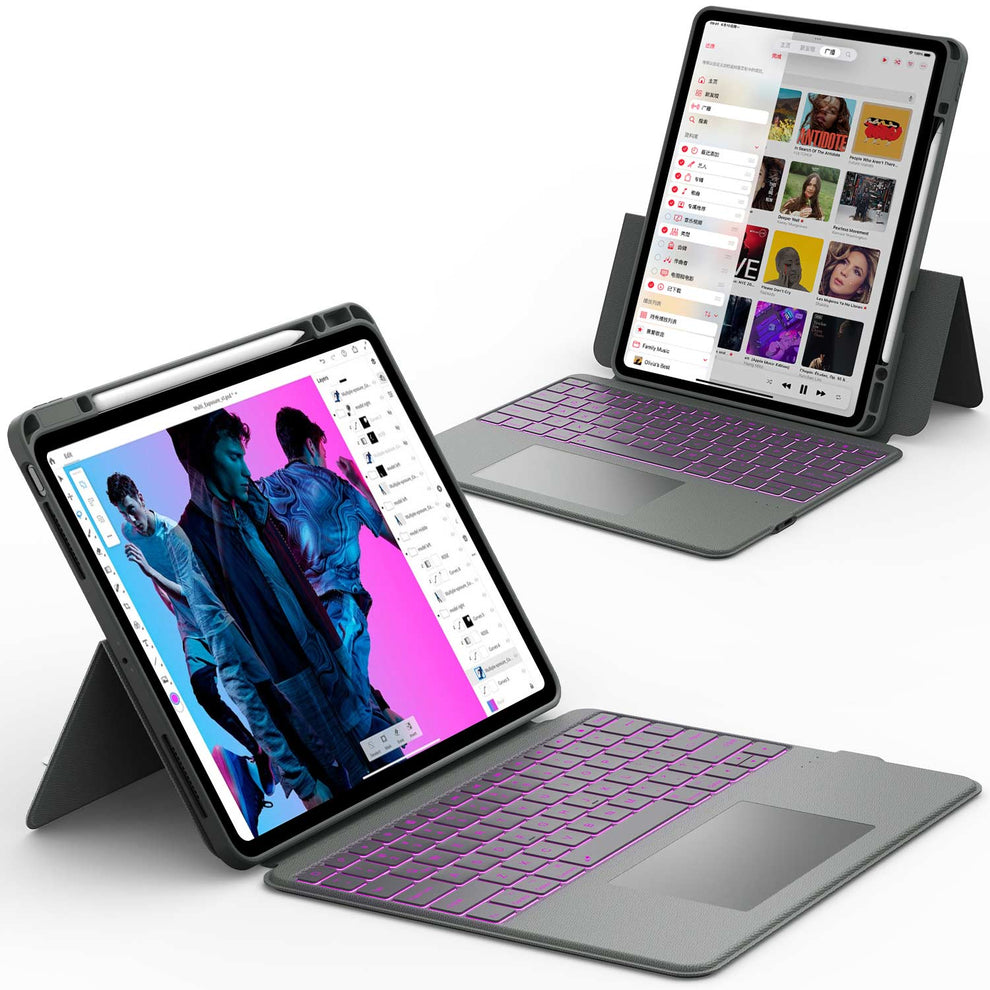


iPad Air vs MacBook Air Overview and Key Differences
The iPad Air and MacBook Air look similar at first, but they are built for different types of users. They each have strengths that make them better for certain tasks.
iPad Air Quick Breakdown
The iPad Air is a lightweight tablet that focuses on mobility and touch interaction. It works well for:
- Drawing
- Reading
- Note taking
- Browsing
- Media consumption
- Light productivity
It supports the Apple Pencil and can connect to external keyboard cases.
MacBook Air Quick Breakdown
The MacBook Air is a full laptop running macOS. It is known for:
- Strong multitasking
- Desktop software
- Comfortable typing
- Reliable performance
It handles long typing sessions and heavier work with ease.
Who Each Device Is For
iPad Air is ideal for:
- Students who take handwritten notes
- Artists and designers
- Travelers
- Casual users
- People who prefer touchscreens
MacBook Air is ideal for:
- Writers and office workers
- Coders and designers
- Remote work setups
- Users who need full desktop apps
✨ Also Read: iPad Pro vs MacBook Air: Which Is Right for You?
Performance Comparison: iPad Air vs MacBook Air
Both devices use Apple Silicon chips, which deliver great performance. The difference comes down to thermal design, multitasking, and app support.
Apple Silicon Chips (M1, M2, M3 Differences)
Recent versions of the iPad Air use the M1 or M2 chip.
Recent MacBook Air models also use M1, M2, or M3 chips.
Performance is similar on paper, but the MacBook Air often performs better in long sessions because it has more room for heat management.
Everyday Performance
For basic tasks like:
- Web browsing
- Watching videos
- Social media
- Light photo edits
Both devices feel equally smooth and fast.
Heavy Tasks and Large Apps
MacBook Air handles sustained performance better.
It runs desktop apps like:
- Final Cut Pro
- Logic Pro
- Adobe apps
- Full IDEs for coding
The iPad Air can run powerful apps, but its multitasking and file management are more limited.
✨ Also Read: How to Save $300 on Back-to-School Tech with Chesona Keyboard Case
Display Quality and User Experience
The iPad Air and MacBook Air have excellent displays, but the experience is different because of the input method.
iPad Air Display Experience
The iPad Air features a bright, colorful touchscreen.
It supports:
- Apple Pencil
- Touch gestures
- Drawing apps
This makes it great for creative work and interactive activities.
MacBook Air Display Experience
The MacBook Air has a larger, non-touch display with a comfortable keyboard and trackpad.
It is better for:
- Long writing sessions
- Document editing
- Spreadsheet work
- Multitasking
Which Screen Is Better for Your Work
Choose iPad Air if you draw, annotate, or prefer touchscreen navigation. Choose MacBook Air if you type and multitask often.
Software Differences: iPadOS vs macOS
Software is the biggest difference between the iPad Air and MacBook Air.
iPadOS Strengths
iPadOS is simple and touch-friendly. It is great for:
- Drawing
- Digital planning
- Media consumption
- Lightweight productivity
- Apps optimized for touch
Apps like Procreate, Notability, GoodNotes, and LumaFusion shine on iPad.
macOS Strengths
macOS is a full desktop system designed for professional software. It supports:
- Full Adobe suite
- Xcode
- Final Cut Pro
- Logic Pro
- Advanced browser tools
- Multi-window setups
This makes it ideal for complex work.
App Limitations on Each Device
iPad apps not available on macOS:
- Procreate
- Many tablet specific art tools
Mac apps not available on iPadOS:
- Full versions of Adobe Photoshop
- Full Final Cut Pro
- Desktop-level Excel and PowerPoint features
- Developer tools
Productivity Comparison: Which Is Better for Work or Study
Productivity needs vary from person to person. Here is how both devices perform.
Multitasking and Window Management
iPad Air:
- Stage Manager
- Split View
- Slide Over
- Better for simple multitasking.
MacBook Air:
- Multiple windows
- Tabs
- Full desktop controls
-
Better for intense multitasking.
Typing and Keyboard Experience
iPad Air needs a keyboard case. The MacBook Air has a built-in keyboard that is more comfortable for long sessions.
File Management and Storage
Finder on MacBook Air handles files more like a traditional computer. Files app on iPad is good, but limited for complex folders and advanced tasks.
Creativity and Media Tasks: Which Device Performs Better
Best for Artists and Designers
The iPad Air is the clear winner for drawing and handwriting.
Apple Pencil support makes it perfect for:
- Sketching
- Digital art
- Graphic design
-
Markup and annotation
Best for Video and Photo Editing
Both can edit videos and photos, but the MacBook Air has more desktop apps.
The MacBook Air is better for:
- Advanced editing
- Color grading
- Heavy photo work
The iPad Air is great for casual or mobile workflows with apps like:
- LumaFusion
- Procreate
- Affinity Photo
Best for Note Taking and Schoolwork
iPad Air is ideal if you like writing by hand. MacBook Air is best for long essay writing or large research projects.
Price Comparison: Which Gives Better Value
iPad Air Cost Breakdown
iPad Air base price is lower than the MacBook Air, but accessories add up:
- Apple Pencil
- Keyboard case
- Extra storage
MacBook Air Cost Breakdown
MacBook Air has a higher starting price, but:
- You do not need accessories
- You get a full laptop experience
- Better long-term value for professional work
Which Device Offers Better Value
Choose iPad Air for creative work and flexibility. Choose MacBook Air for productivity and professional tasks.
Accessories That Improve Your Experience on Either Device
The right accessories can dramatically change how productive and comfortable your iPad Air or MacBook Air feels in everyday use. Whether you work on the go, study at home, or create content, accessories help you get more value from your device and adapt it to your workflow.
Keyboard Cases for iPad Air
A quality keyboard case can turn the iPad Air into a practical laptop-style setup. It makes writing emails, editing documents, and managing spreadsheets much faster than using the on-screen keyboard.
Many keyboard cases also include a trackpad, adjustable viewing angles, and solid protection, which makes the iPad Air a strong option for students and mobile professionals.
Stands and External Displays
Both the iPad Air and MacBook Air support external displays, which is ideal for multitasking and focused work.
The MacBook Air delivers a more traditional desktop-style experience with easier window management and extended screen layouts.
With the right stand, the iPad Air can also serve as a second screen or a compact workstation for lighter tasks.
Apple Pencil and Mouse Support
The Apple Pencil is where the iPad Air truly stands out. It offers precise control for drawing, note-taking, markup, and design tasks that feel natural and efficient.
Both devices support Bluetooth mice and trackpads, allowing smoother navigation and improved accuracy, especially when working with documents, spreadsheets, or detailed interfaces.
Conclusion
Choosing between the iPad Air and the MacBook Air comes down to how you prefer to work and what apps you rely on.
The iPad Air is great for students, artists, and creative users who want flexibility and portability.
The MacBook Air is the better choice for heavy typing, multitasking, coding, and professional software.
Both devices deliver fast performance and long battery life, so you will not go wrong. Think about your daily workflow and pick the device that supports your long-term needs.
If you want to enhance your iPad setup, check out these collections:
FAQs About iPad Air vs MacBook Air
Is the iPad Air better than the MacBook Air for students?
It depends on how the student studies and works. The iPad Air is better for handwritten notes, reading, and drawing with the Apple Pencil. The MacBook Air is better for writing long papers, managing files, and multitasking between apps. Many students choose based on their main school tasks.
Can the iPad Air replace a MacBook Air?
For basic tasks, yes. The iPad Air works well for browsing, note taking, emails, and light document editing. However, it cannot fully replace a MacBook Air for professional software, advanced file management, or heavy multitasking. Power users often still need a laptop.
Which lasts longer, the iPad Air or MacBook Air?
Both devices are built to last for several years with regular updates. The MacBook Air usually handles long, demanding tasks better without slowing down. This makes it a stronger choice for users who work for hours at a time. Battery life is excellent on both with normal use.
Which is better for artists?
The iPad Air is the better choice for artists. It supports Apple Pencil and works with popular drawing apps like Procreate. Artists can draw directly on the screen with pressure control and smooth lines. This makes it feel closer to real sketching and painting.
Which is better for office work?
The MacBook Air is better for office work. It supports full office software, advanced file handling, and easy multitasking with multiple windows. Typing on a laptop keyboard is also more comfortable for long work sessions. This makes it ideal for writing, spreadsheets, and presentations.


