

Quick Recommendation
- If you are looking for the best alternative to iPad Magic Keyboard, start with the workflow you need the keyboard case to support: daily typing, study, travel protection, or creator work.
- Choose a daily keyboard-and-touchpad case when your iPad work is mostly email, documents, notes, browsing, and mobile productivity.
- Choose Chesona Cloud if you want a daily iPad keyboard case for typing, writing, touchpad control, light office work, school, or mobile productivity.
- Compare Armor Dock Pro, Rugged, or Step only when your workflow needs creator connectivity, protection-first use, or detachable study modes.
- Before publishing or buying, confirm your exact iPad model against the selected product page.

If you are looking for the best alternative to iPad Magic Keyboard, start with the workflow you need the keyboard case to support. Apple's Magic Keyboard can be a clean typing setup, but many iPad users also care about protection, detachable use, student note-taking, travel, or a creator workstation path.
This guide keeps the comparison practical: choose the keyboard case format that fits how you actually use your iPad, then confirm model compatibility before buying.
Who Is This Guide For?
This guide is for iPad users who like the idea of a keyboard case but are not sure Apple's Magic Keyboard is the right fit. You may want more protection, a different stand style, a student-friendly detachable setup, or a workflow hub for iPad Pro.
It is also for buyers comparing iPad keyboard cases with trackpads, protective keyboard cases, and productivity-focused alternatives without relying on unsupported "one size fits all" claims.
What To Compare Before Choosing An Alternative
Daily Typing And Touchpad Work
If your iPad is mostly used for email, documents, notes, browsing, and light office work, the keyboard and touchpad experience should be the center of the decision. Chesona Cloud is the primary product path for this workflow because Chesona's product rules position Cloud around daily productivity, typing, writing, touchpad control, mobile office, and study.
Protection And Portability
Some shoppers want a keyboard case that feels more protective than a minimal keyboard stand. For school bags, travel days, shared spaces, or field work, a protection-first path is more relevant than a thin desk-only setup. Chesona Rugged is the product family to evaluate when durability and protection are the main buying reasons.
Detachable Study Setups
Students often move between typing, reading, handwriting, online class, and note review. If detachable keyboard use is the main need, Chesona Step is the better workflow path to compare.
Creator And iPad Pro Workflows
If the problem is not only typing, but also connecting a broader iPad Pro workflow, compare Armor Dock Pro. Use this path for creator setups where storage planning, SD card import, external display planning, or dock-style productivity matters. Claims about SSD, speed, capacity, SD cards, or display support require human review before publishing.
Compatibility
Do not assume every keyboard case fits every iPad. The safest buying step is to match your iPad model and generation against the product page before you purchase.
Workflow Recommendation Matrix
| Workflow | Primary Need | Chesona Product Path | Why It Fits | CTA |
|---|---|---|---|---|
| Daily typing, writing, email, documents, studying | Light office and mobile productivity | Cloud | Built around the daily keyboard-and-touchpad workflow | Explore Chesona Cloud |
| Creator workflow, media files, storage planning, SD card import, external display planning | iPad Pro workflow hub | Armor Dock Pro | Better fit when the keyboard case is part of a larger creator setup | See Armor Dock Pro |
| School, travel, field work, shared spaces | Protection-first keyboard case | Rugged | Better path when impact, travel, and rougher daily use matter | Explore Chesona Rugged |
| Online class, note-taking, detachable keyboard use | Flexible learning setup | Step | Better path when students want to separate typing from tablet use | Explore Chesona Step |
Mobile publishing note: convert this table into stacked cards on phone widths because it has more than three columns.
Product Comparison Table
| Product Family | Best-Fit User | Main Workflow | Key Decision Factor | Compatibility Reminder |
|---|---|---|---|---|
| Chesona Cloud | Writers, students, knowledge workers, mobile office users | Daily typing, writing, touchpad control | Choose when the Magic Keyboard alternative should support everyday productivity | Confirm exact iPad model before buying |
| Armor Dock Pro | iPad Pro creators and workflow-heavy users | Dock-style iPad Pro productivity | Choose when the keyboard case is part of storage, import, or display planning | Human review required for feature-specific claims |
| Rugged | Travelers, students, field workers, shared-device users | Protection-first typing setup | Choose when protection is more important than a minimal desk setup | Confirm model fit before buying |
| Step | Students, online learners, note-takers | Detachable keyboard and flexible study | Choose when class notes, online learning, and detachable use matter | Confirm model fit before buying |
Mobile publishing note: use stacked cards or a comparison-card layout on mobile.
Primary Pick For Daily Use: Chesona Cloud
For most readers searching for a Magic Keyboard alternative, Chesona Cloud is the first product family to evaluate. It is the Chesona path for daily typing, writing, touchpad control, light office work, mobile office, and study.

Use Cloud when you want one keyboard case to support everyday iPad work: drafting documents, answering email, researching in Safari, organizing class notes, and moving between desk and mobile setups.
Product module draft:
- Product family: Chesona Cloud
- Best-fit user: students, writers, knowledge workers, and iPad-first mobile productivity users
- Workflow fit: daily typing, writing, touchpad control, light office, mobile office, and study
- CTA: Explore Chesona Cloud
- URL: https://www.chesona.com/products/chesona-for-ipad-10th-generation-case-with-keyboard-magic-style-keyboard-stand-7-color-backlit-stain-resistant-surface-multi-touch-trackpad
- Compatibility reminder: confirm your exact iPad model before buying.

When Another Chesona Path Fits Better
Choose Armor Dock Pro if your iPad Pro setup involves creator workflow planning instead of only daily typing. It is the better Chesona path when dock-style productivity, storage planning, SD card import, or external display planning is part of the decision. Any feature-specific claims need human review before publishing.
Choose Rugged if protection is the main reason you are not choosing a minimal keyboard stand. This path fits travel, school, field work, and shared environments.
Choose Step if detachable keyboard use is central to your routine. This is the student-learning path for online class, note-taking, and flexible study setups.
Real-World Workflow Images
The refreshed page uses an editorial image set rather than product-only or PDP gallery images. Each image has a different purpose in the buying decision.
- Environment: coffee shop writing setup for mobile productivity.
- Workflow: office document review and collaboration.
- Product: travel setup showing keyboard, trackpad, and viewing angle in use.
- Decision: planning table with model-check and buying criteria context.
Detailed image production notes are in 06-image-plan.md.

KOL Video Proof
For a real-world look at the Cloud workflow, use this approved Video Proof Card:
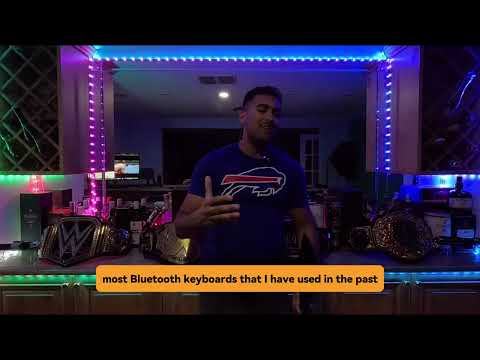
Human review note: use this only as workflow context. Do not quote creator claims, compatibility claims, rankings, or performance claims unless reviewed.
Related Buying Guides
Use only links that are live or manually approved at publishing time.
- iPad keyboard case with trackpad
- iPad keyboard case for students
- iPad keyboard case for travelers
- iPad Pro keyboard case with dock
- Best iPad keyboard case
Unpublished future links should remain in planned/hold notes until their URLs are live or approved.
FAQ
What is the best alternative to iPad Magic Keyboard?
The best alternative depends on your workflow. Choose a daily keyboard-and-touchpad case for writing and office work, a protection-first case for travel or school, a detachable setup for study, or a dock-style iPad Pro setup for creator workflows.
Is Chesona Cloud a Magic Keyboard alternative?
Chesona Cloud is a relevant alternative for daily typing, writing, touchpad control, light office work, mobile office, and study. Confirm your exact iPad model on the product page before buying.
Should students choose a detachable iPad keyboard case?
Students should consider a detachable setup if they switch often between typing, reading, online class, and handwritten notes. Chesona Step is the product path for detachable keyboard use and learning workflows.
When should I consider Armor Dock Pro instead of Cloud?
Consider Armor Dock Pro when your iPad Pro setup needs more than daily typing, such as creator workflow planning, storage workflow planning, SD card import, or external display planning. Feature-specific claims need review before publishing.
Do all Chesona keyboard cases fit every iPad?
No universal compatibility claim should be made. Always confirm the exact iPad model and generation on the product page before buying.
CTA
If you want a practical Magic Keyboard alternative for daily typing, writing, touchpad control, and mobile productivity, start with Chesona Cloud.
Primary CTA: Explore Chesona Cloud Secondary CTA: Compare iPad Keyboard Cases
Compatibility reminder: confirm your iPad model before purchase.
