

You probably spend more time touching your keyboard than you do holding your smartphone or shaking hands with clients. Yet, most people settle for the cheap, mushy plastic slab that came free with their computer.
This is a mistake. Your keyboard is your primary tool of the trade, and upgrading to the best office keyboard can drastically improve your speed, comfort, and workflow.
Whether you are coding, writing reports, or managing endless emails, the right keys make all the difference.
In this guide, we will break down what features actually matter for a professional environment, from noise levels to multi-device connectivity—and introduce you to the ultimate solution for the modern desk.
Key Takeaways:
- Silence is Golden: Scissor-switch mechanisms provide stability and quiet typing. This is essential for shared offices or working from home.
- Cut the Cord: Wireless setups reduce visual clutter and improve your focus.
- Multi-Tasking is King: The best keyboards connect to 3 devices (PC, Tablet, Phone) simultaneously.
- Top Pick: The CHESONA Wireless Combo combines premium materials with support for up to 3 devices.
Chesona Products You May Also Like
Explore More


What Defines the Best Office Keyboard?
An "office" keyboard is very different from a gaming keyboard. You do not need RGB lights flashing like a disco. You definitely do not want loud "clicky" blue switches that sound like a machine gun and annoy your coworkers.
The best office keyboard hits the trifecta of Comfort, Versatility, and Aesthetics.
1. The Switch Mechanism: Why "Scissor" Wins
Most cheap keyboards use rubber membranes. You have probably felt them before. They feel "mushy" and inconsistent. You have to press the key all the way down to make it register. This slows you down and tires out your fingers.
On the other hand, mechanical keyboards are popular but often too loud for a professional setting. The perfect middle ground is the scissor mechanism. This is what you find in high-end laptops.
A scissor switch uses two interlocking plastic arms. This low-profile design allows for increased stability. When you press the key, it goes down smoothly and pops back up instantly. It feels snappy and responsive.
👉 If you are looking for this specific feel on a Mac, check out our guide on the best Bluetooth keyboard for Mac in 2025.
2. The Noise Factor
If you work in an open office or have roommates, sound matters. A loud keyboard is a distraction. The best office keyboard should be "whisper quiet."
It should provide tactile feedback to your fingers without creating audio feedback for the room. Scissor switches are naturally quieter than mechanical switches, making them the polite choice for professionals.
3. The Multi-Device Requirement
Modern work is not just on one screen anymore. You might draft an email on your computer, reply to a text on your phone, and check notes on your iPad.
The best office keyboard should handle all of this without you needing to pick up your phone.
Look for Bluetooth 5.0 support that enables pairing with multiple devices. You should be able to switch between typing on your laptop and your tablet with a single keystroke. This turns you into a multitasking machine.
Wired vs. Wireless: Reducing Desk Clutter
A clean desk leads to a clear mind. It sounds clichéd, but it is true. Visual clutter creates mental clutter. While wired keyboards are reliable, the cables add visual noise to your workspace. They get tangled with your mouse cord and look messy.
The best wireless keyboard and mouse combo gives you freedom. You can position your peripherals exactly where they are most comfortable. You are not tethered to a USB port.
This is especially useful if you use a charging station for multiple Apple devices and need the desk space for your phone and watch.
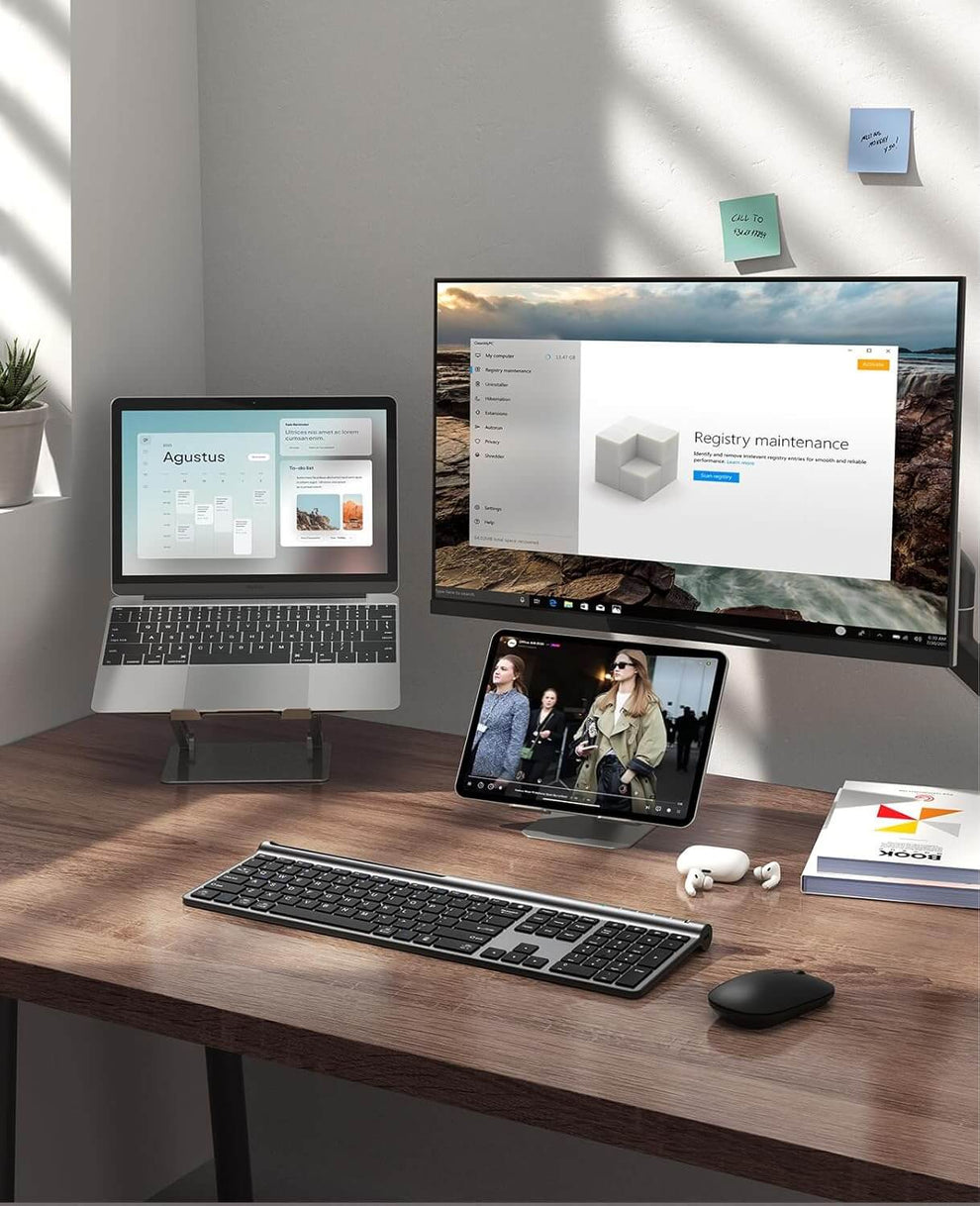
After testing dozens of options, the CHESONA Wireless Keyboard and Mouse Combo stands out as the best office keyboard for professionals who value efficiency and style.
It solves the three biggest office complaints: cable clutter, battery waste, and loud typing. It is designed to be the only keyboard you will ever need.
- Triple Connectivity: Supports Bluetooth 5.0, 3.0, and 2.4G wireless. Connect up to 3 devices and switch instantly.
- Premium Typing Experience: Low-profile keys with a high-end scissor mechanism for quiet, stable keystrokes.
- Eco-Friendly Power: Built-in rechargeable 280mAh lithium battery that lasts for weeks on a single charge.
- Professional Design: Durable ABS+PC material with an elegant dark gray finish that elevates any desk.
Stop settling for less. Upgrade your workflow today.
Shop CHESONA Wireless ComboBluetooth vs 2.4G Dongle
Wireless keyboards usually come in two flavors. You have Bluetooth, which connects directly to the device. Then you have 2.4G, which uses a small USB dongle.
- Bluetooth: Great for iPads, phones, and modern laptops with few ports.
- 2.4G Dongle: Great for older desktop PCs or corporate computers that might have Bluetooth disabled.
The smartest option is to get a keyboard that supports both.
Ergonomics and "Full Size" Productivity
Ergonomics is just a fancy word for "not hurting yourself." If you type for 8 hours a day, you are at risk for Repetitive Strain Injury (RSI). The angle and layout of your keyboard matter.
A good office keyboard should have a low profile. This means your wrists don't have to bend upwards to reach the keys.
This neutral wrist position reduces strain. The CHESONA combo is designed with a slight incline to match the natural position of your hands.
The Importance of the Number Pad
While compact keyboards are cute, the best office keyboard usually needs a number pad. If you work in Excel, finance, or data entry, a full-size layout is non-negotiable. Typing numbers on the top row of keys is slow and frustrating.
Aesthetics: Professionalism Matters
Your workspace reflects your professionalism. If a client walks into your office and sees a messy desk with a dirty, yellowing keyboard, it sets a bad tone. A sleek black keyboard and mouse setup looks authoritative. It looks clean.
The CHESONA combo uses a dark gray paint finish. This isn't just for looks. It resists fingerprints and smudges better than glossy black plastic. It maintains a "CEO" look even after a long day of typing.
Maintenance and Longevity
A good tool should last. Cheap keyboards start to fail after a year. The keys get stuck or the letters fade away. When buying a keyboard for work, look for durability.
Battery Life: Nothing kills productivity like a dead battery. Older wireless keyboards ate through AA batteries like candy.
The modern standard is a built-in lithium battery. The CHESONA combo features a 280 mAh battery. This might sound small, but for a keyboard, it is huge. It can last for weeks of daily use. Plus, you can charge it while using it, so you never have downtime.
Cleaning: Office keyboards get dirty. Dust, crumbs, and coffee spills happen. A keyboard with a scissor mechanism is often easier to clean than a deep mechanical keyboard because debris has fewer places to hide. A quick wipe with a microfiber cloth keeps it looking new.
Platform Compatibility
The modern office is a mix of operating systems. You might use a Windows PC for work, a MacBook for creative projects, and an Android phone for calls. The best office keyboard is platform agnostic.
You need a layout that works for everyone. Look for keys that show both the Windows "Start" icon and the Mac "Command" icon. The CHESONA Wireless Combo is fully compatible with macOS, iOS, Windows, and Android. This makes it the perfect choice for hybrid workers who switch devices constantly.
Conclusion
Upgrading to the best office keyboard is one of the highest-ROI investments you can make for your career. It is a small change that pays off every single day. It saves your wrists. It clears your desk. It speeds up your workflow.
You do not have to endure a mushy, loud, wired keyboard any longer. Don't let a sub-par typing experience hold you back. Embrace the freedom of wireless connectivity and the precision of scissor switches.
Your hands deserve better. Your desk deserves better. Take control of your workspace today.
Ready to boost your productivity? Browse our specific collections to find your perfect match:
FAQs About The Best Office Keyboard
What is the best office keyboard for typing all day?
For all-day typing, look for a keyboard with scissor switches (like the CHESONA combo). They require less force to press than membrane keys. This means your fingers do less work with every stroke. Over thousands of words, this reduces finger fatigue significantly.
Is a wireless keyboard better for the office?
Yes. A wireless keyboard and mouse reduces cable clutter. It makes it easier to clean your desk. It also allows you to sit at a more ergonomic distance from your screen without being limited by a cord.
Can I use one keyboard for Mac and Windows?
Absolutely. The best office keyboard works with both. The CHESONA Wireless Combo connects easily to both operating systems. You can switch between a Mac laptop and a Windows desktop with the press of a button.
How long do rechargeable keyboards last?
Modern rechargeable keyboards are very efficient. With a lithium battery (like the 280mAh one in our top pick), you can expect it to last for weeks on a single charge. Most also have an auto-sleep feature to save power when you stop typing.
Why do some keyboards have a numpad and others don't?
Keyboards without a numpad are called TKL (Tenkeyless). They take up less desk space, which allows you to keep your mouse closer to your body. However, for general office work, a full-size keyboard with a numpad is usually preferred for data entry speed.
